
The ultimatesoundboard for Discord
Multi-track audio editor, playlist sequencer, YouTube import, mic + sounds mixer. Everything you need to spice up your voice sessions.
Powerful tools, simple interface
Every feature is built for speed. No hidden menus, no unnecessary setup.
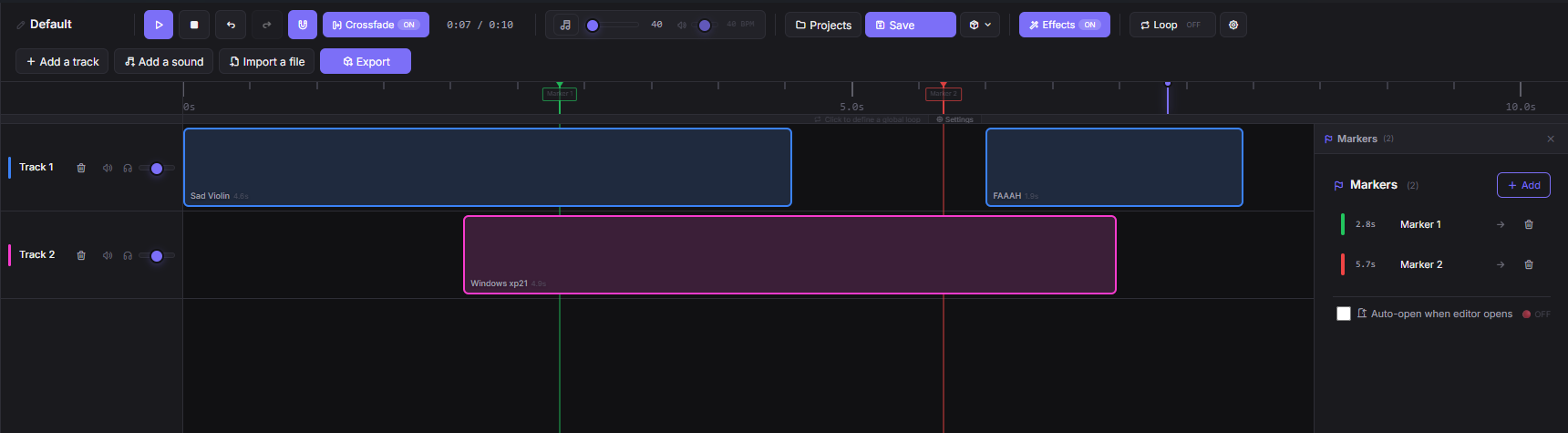
Multi-track audio editor
Timeline with clips, fades, markers and audio effects (echo, reverb, speed). Undo/Redo, snap, automatic crossfade.
Playlist sequencer
Chain your sounds with custom delays, loop or shuffle. Perfect for intros and transitions.
YouTube / MyInstants import
Download and import sounds in one click from YouTube, YouTube Music, MyInstants and more.
Mic + sounds mixer
One virtual cable (VB-Cable), zero complex configuration. No VoiceMeeter needed for most setups.
Works with Discord / OBS / Twitch
Native integration with OBS WebSocket and Twitch alerts (follows, donations, subs).
Multi-language
Interface available in French, English and Spanish. Complete translations, no hardcoded strings.
Explore every corner of SoundDeck
8 pages built for speed. Every screen has a purpose, no feature is hidden.
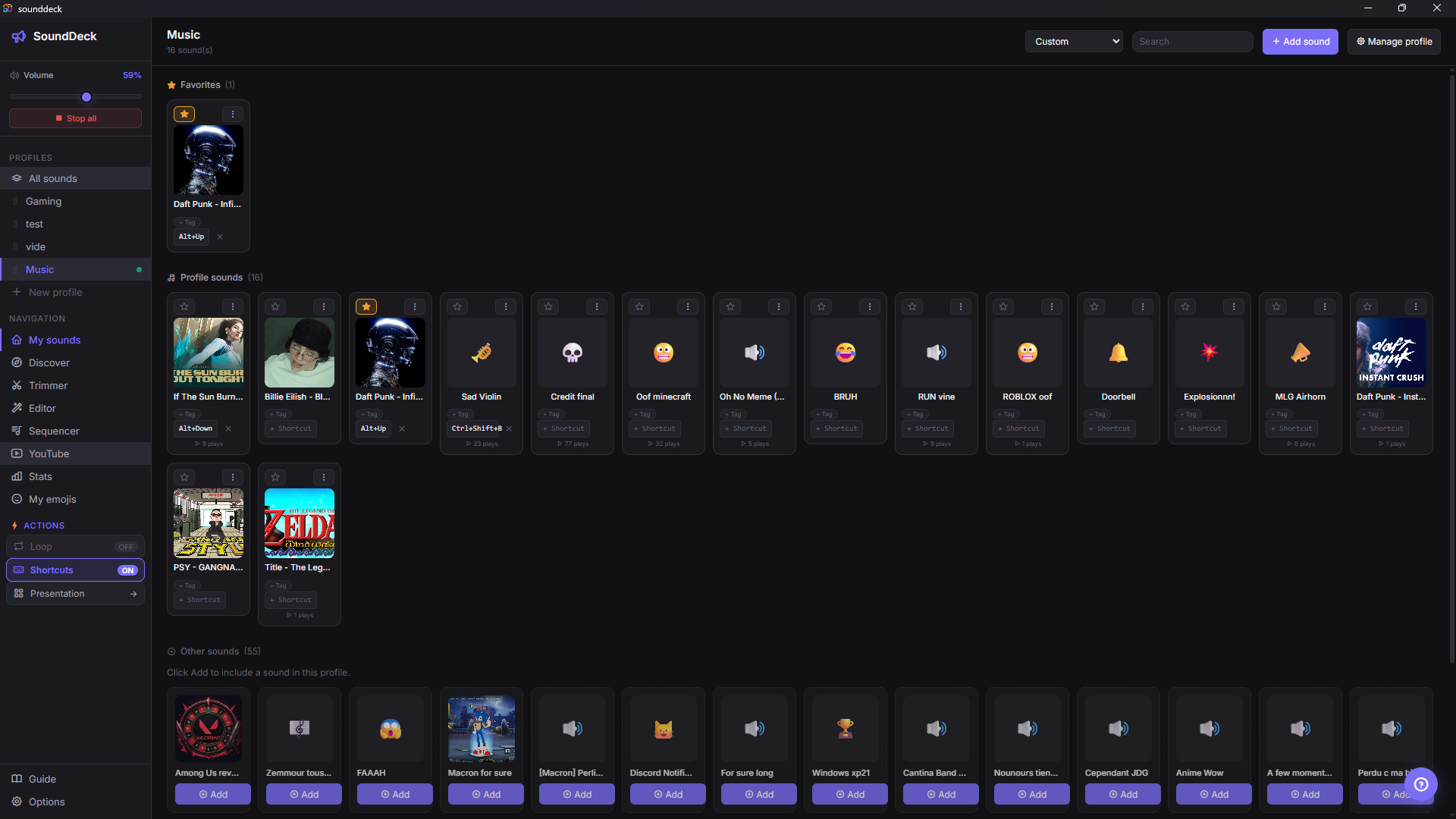
My sounds
Your personal library, organized by profiles, favorites and tags. Instant search, drag & drop reordering.
- Multiple profiles (Gaming, Music, Memes…)
- Favorites and tags to find a sound in a second
- Global or per-sound keyboard shortcuts
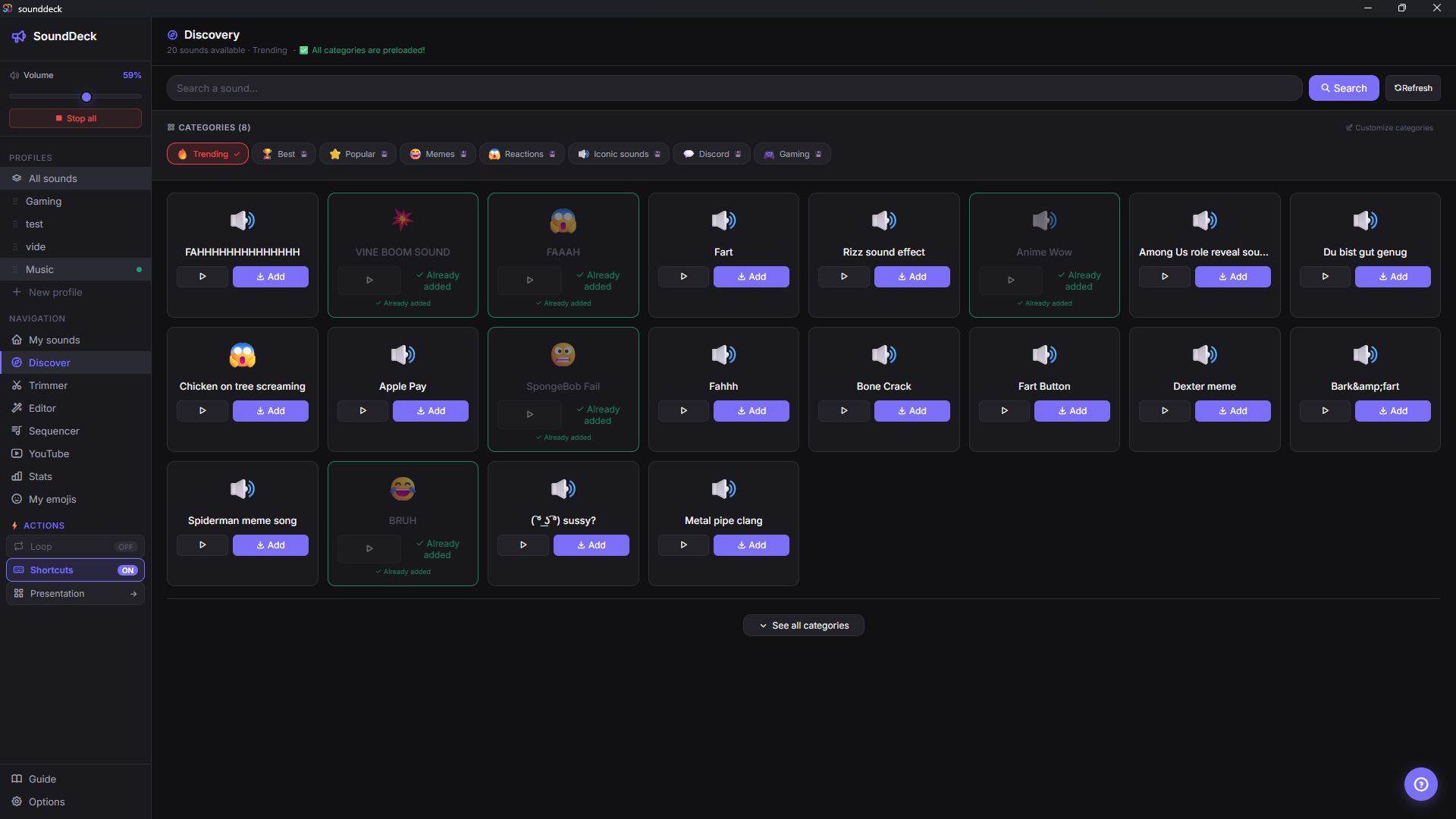
Discover
Thousands of ready-to-use sounds, sorted by category. One-click import, straight into your library.
- Trending, Memes, Reactions, Gaming categories
- Native MyInstants integration
- Preview before importing
Audio editor
A full multi-track timeline with clips, effects and loops. Build complex mixes without leaving the app.
- Effects: volume, fade, speed, echo, reverb
- Undo/Redo, snap, automatic crossfade
- Export to MP3 or WAV
Sequencer
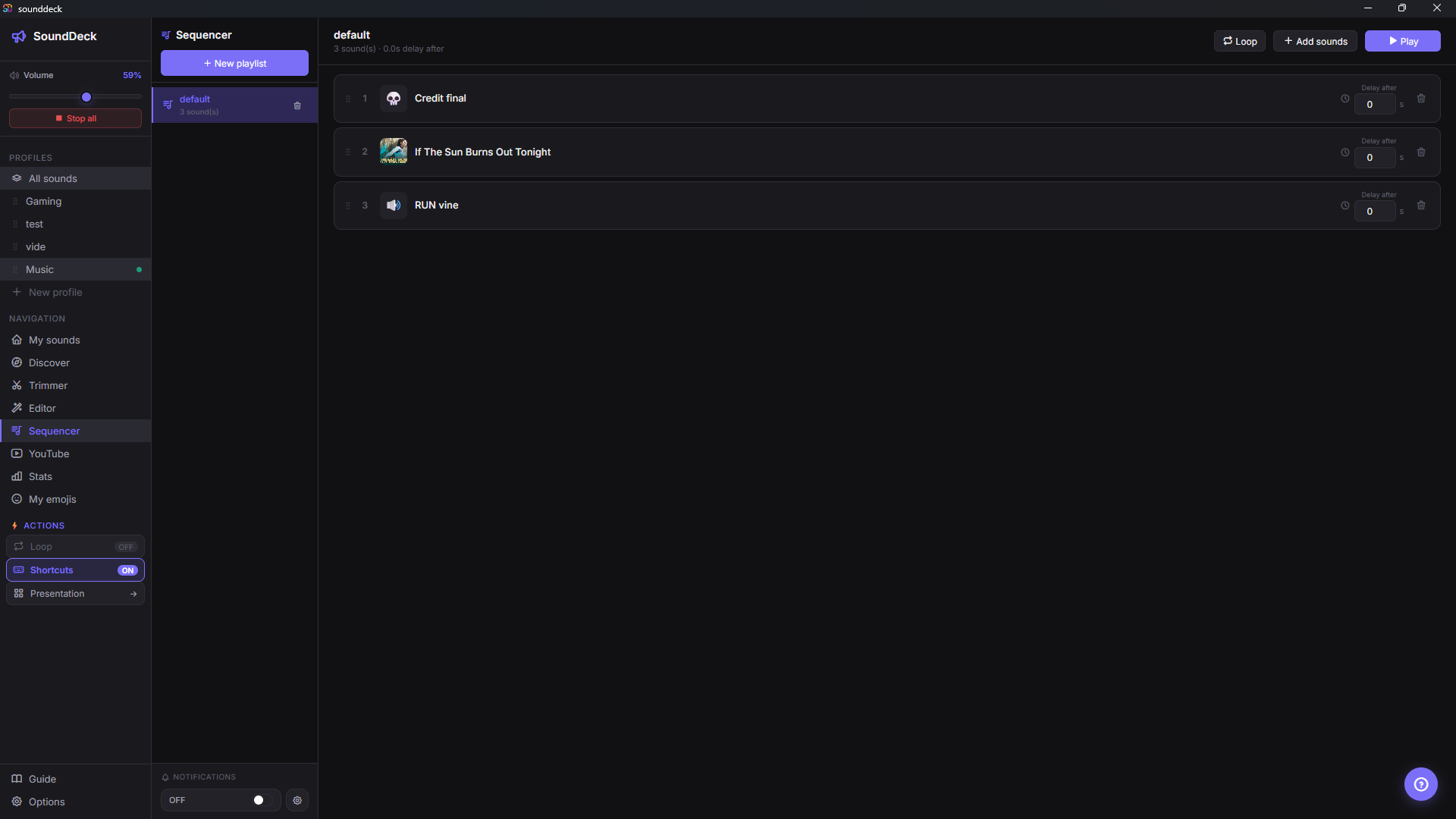
Chain your sounds with precise delays. Perfect for stream intros, transitions or retros.
- Configurable delays between sounds
- Loop and shuffle playback
- Drag & drop reordering
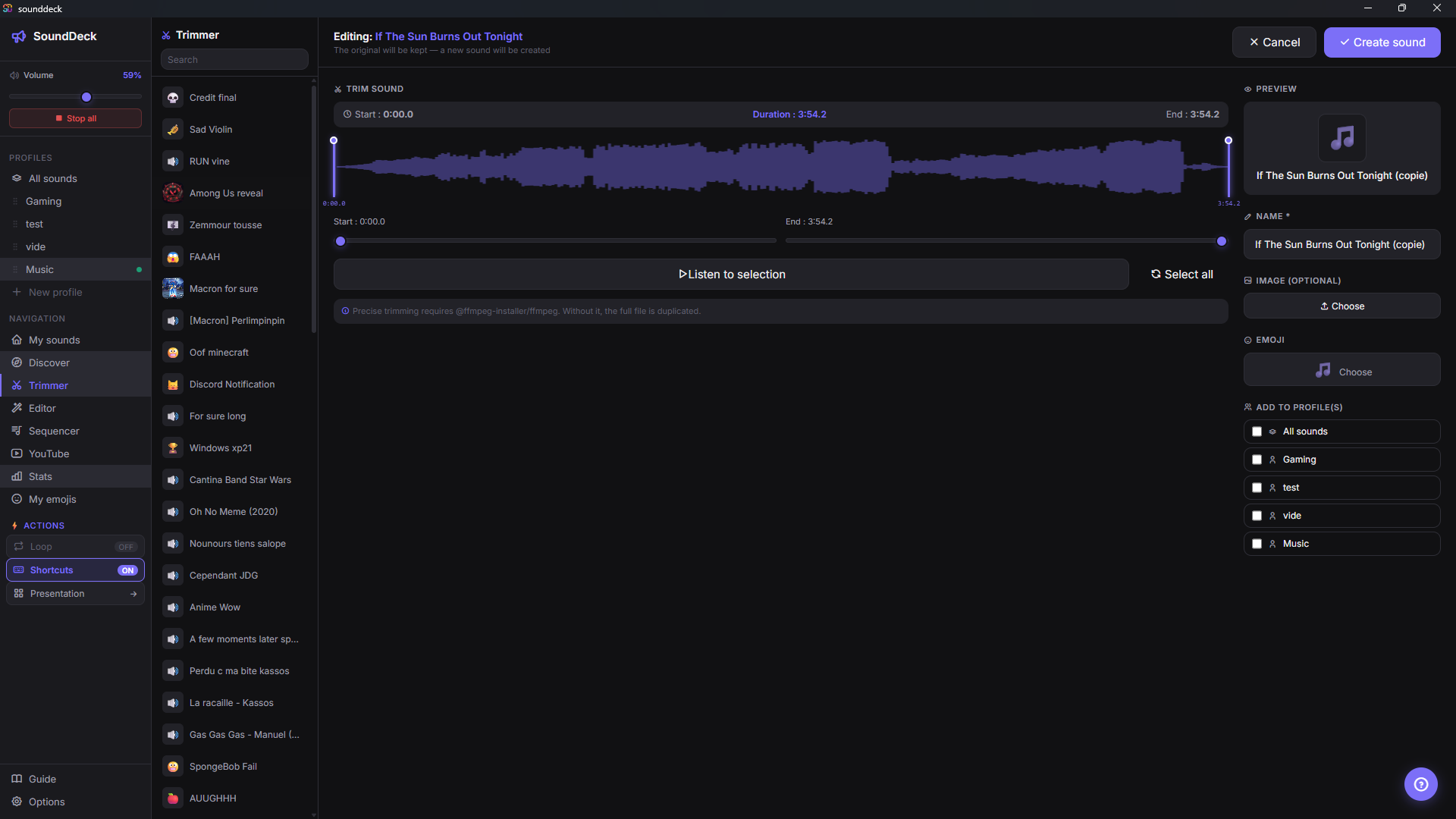
Trimmer
Interactive waveform with selection handles. Cut a sound to the second, preview the result before saving.
- Zoomable and navigable waveform
- Selection preview
- Formats: MP3, WAV, OGG, FLAC, M4A, AAC
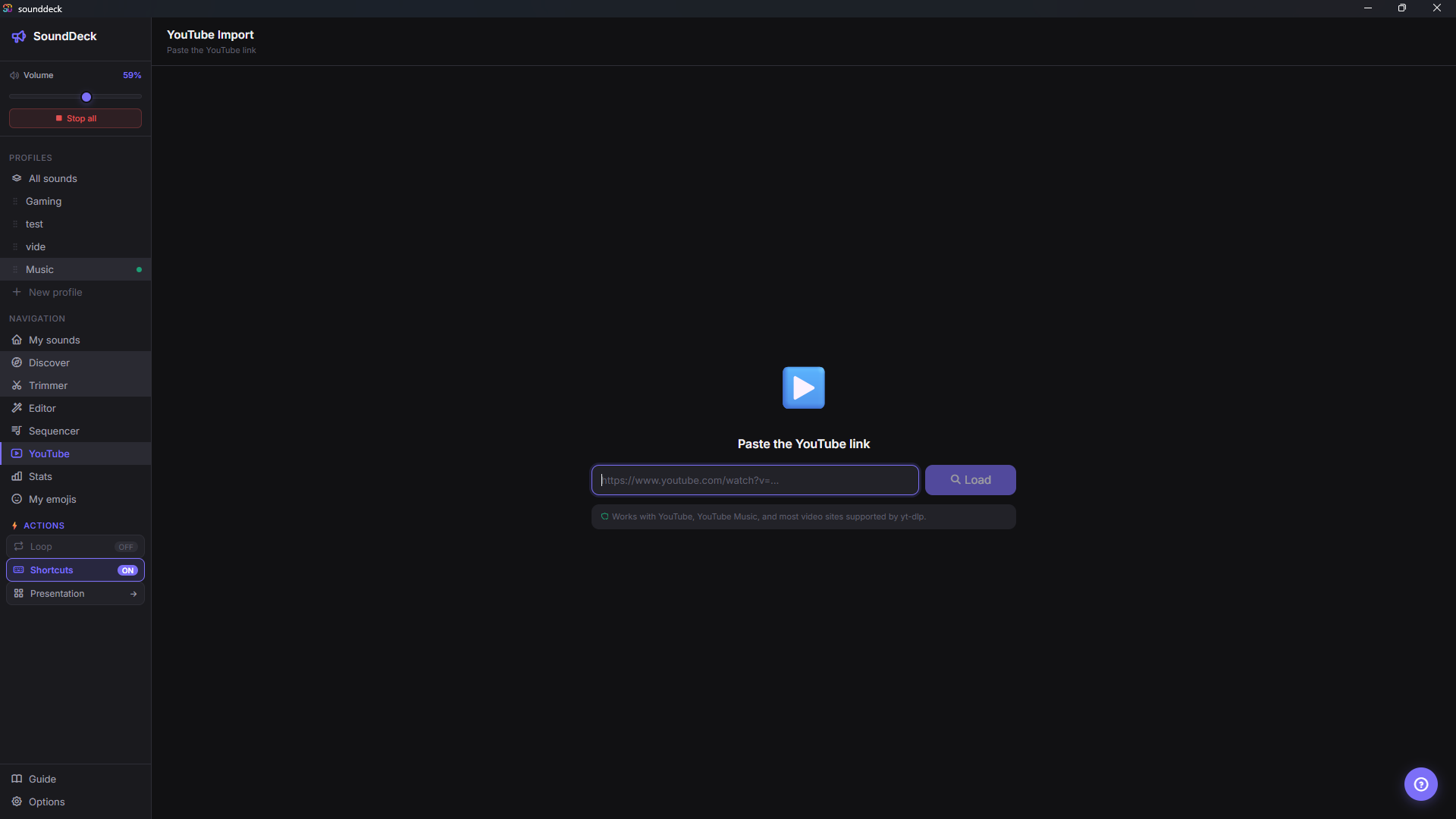
YouTube import
Paste a YouTube (or YouTube Music) URL, pick the portion to extract, and it's in your library.
- YouTube, YouTube Music, SoundCloud (partial) support
- Precise start and end trimming
- Auto-selection of the best audio format
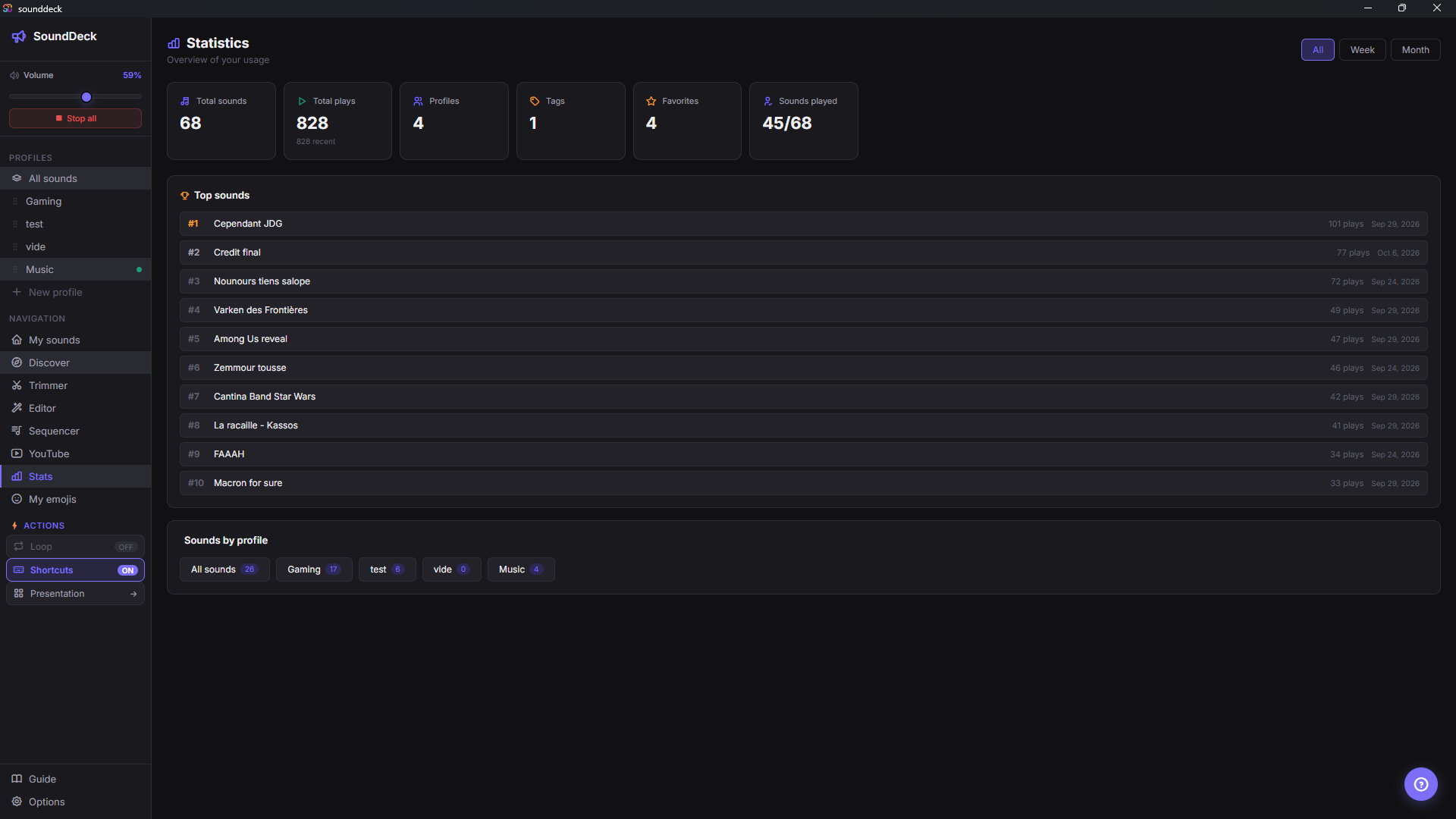
Statistics
Track your usage: most played sounds, listening time, active profiles. Filter by week, month or all time.
- Top 10 most played sounds
- History by week / month / all time
- Profile and tag counters
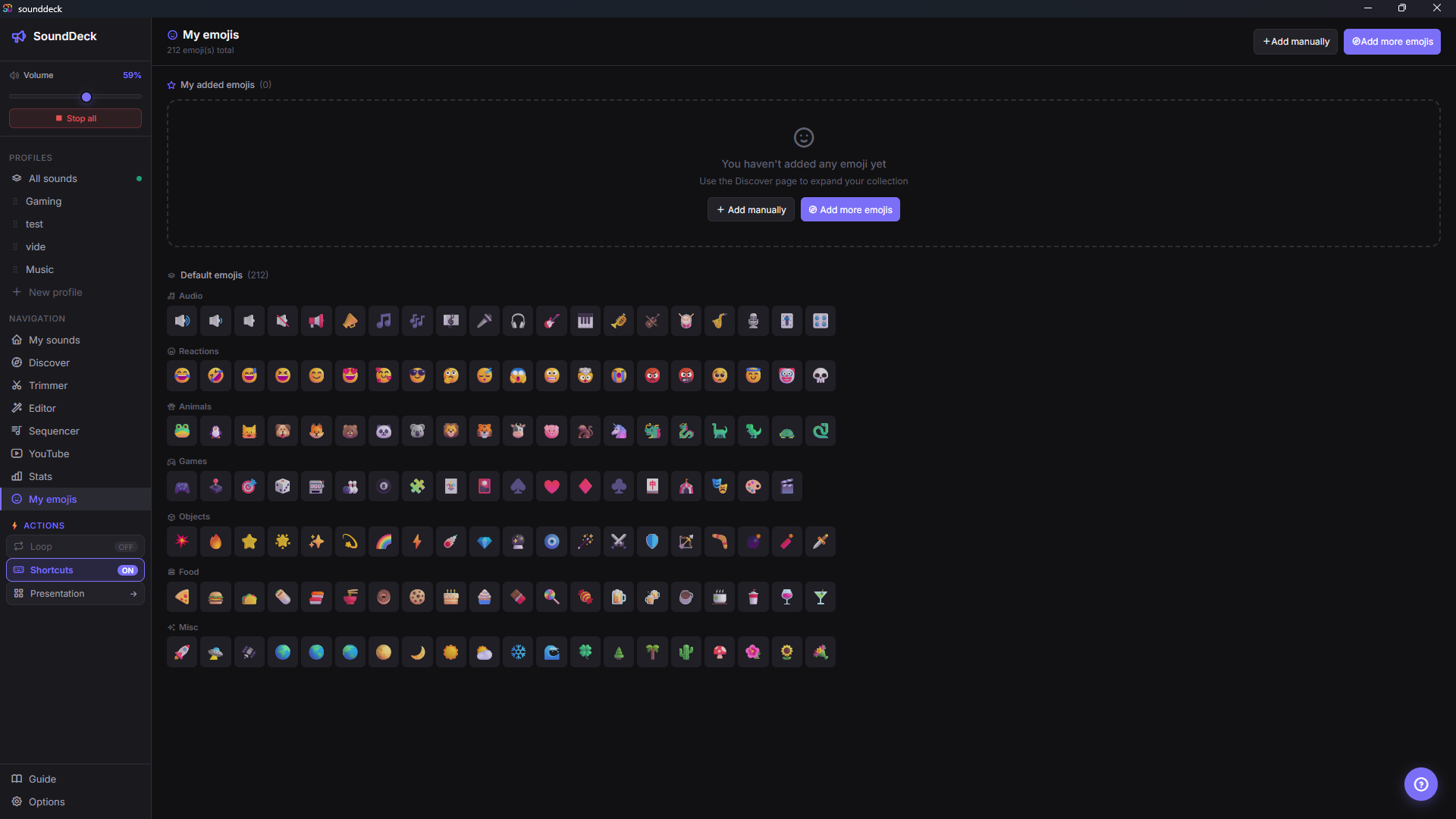
My emojis
212 emojis sorted by category (audio, reactions, animals, games…). Assign one emoji per sound to recognize it at a glance.
- Categories: audio, reactions, animals, games
- Quick assignment from the library
- Custom emojis supported
How it works
A single virtual cable, zero complex configuration. SoundDeck merges your mic and your sounds into one stream that any app can read.
Your inputs
Your microphone and the sounds from your SoundDeck library.
SoundDeck mixes
Both streams are merged in real time, with independent volume control.
Virtual cable
VB-Cable receives the mix and exposes it as a standard microphone device.
Discord & co.
Discord, OBS, Twitch, games… select VB-Cable as their mic. Your friends hear you with the sounds.
Works with anything that has voice chat
Not just Discord — SoundDeck works with any game or software that accepts an audio input device. You keep your headphones for monitoring, and your friends receive the mix.
Unlock all Pro plugins
A one-time donation of $5 or more on GitHub Sponsors unlocks lifetime access to all Pro plugins. No subscription, no account, works offline.
- Lifetime access
- Works offline
- Unlimited PCs
- No subscription